How to Automate Social Media Marketing Without Losing Your Brand Voice


Learn how to automate social media marketing for your brand without producing generic AI content. The complete guide to brand-safe automation for small businesses and DTC brands in 2026.
Social media automation has a reputation problem.
Most brand owners who have tried it end up with the same result: posts that look like they were written by a machine, visuals that could belong to any brand, and a feed that slowly stops looking like the business they built.
So they go back to doing it manually. Which means inconsistent posting, burned-out founders, and a social presence that never quite matches the quality of the actual product.
The problem is not automation. The problem is automation without brand intelligence. This guide explains the difference, and how to build a social media workflow that runs itself without turning your feed into a content template.
Why Social Media Automation Usually Fails
Most social media automation tools were built to solve a scheduling problem, not a content problem. They assume you already have the content. They give you a calendar, a queue, and a publish button. What they do not give you is a system that produces the content in the first place.
The tools that do produce content face a different issue. Caption generators and AI writing tools start from a blank prompt. They know nothing about your brand before you type something. Every time you use them, you are starting from zero. The output reflects that.
Brand-safe automation requires two things that most tools skip entirely: a way to encode your brand identity into the system before any content is generated, and a way to review content before it reaches your audience. Without both, automation is just speed without quality control.
What Brand Identity Actually Means for Automated Content
Brand identity is more than a logo and two hex codes.
For an AI to produce content that looks and sounds like your brand, it needs to understand:
Visual identity. Your color palette, the style of imagery you use, how your products are typically photographed, whether your aesthetic is minimal or maximalist, warm or cool, editorial or lifestyle.
Tone of voice. Whether you write in short punchy sentences or long considered ones. Whether you use humor. What words you avoid. How formal or casual your captions are. Whether you use contractions, questions, or direct address.
Brand references. The visual world your brand draws from. The other brands, designers, photographers, or publications whose aesthetic aligns with yours.
Product context. The specific features, benefits, dimensions, and use cases of what you are selling. Content that references your product accurately feels different from content that generically describes it.
An AI that has all four of these inputs before it generates a single post will produce fundamentally different output than one that starts from a blank prompt. The difference is not subtle. It is the difference between content that looks like your brand made it and content that looks like AI made it.
The Three Pillars of Brand-Safe Social Media Automation
1. Brand identity as a system input, not an afterthought
The first pillar is encoding your brand identity before content generation begins, not correcting for it afterward.
This means the AI reads your brand guide as a document, extracts your color palette from your website, analyzes your style references, and detects your tone of voice from your existing copy. That information becomes the brief for every post it generates. Not something you type into a prompt each time. A standing standard that applies automatically.
When brand identity is a system input, you stop briefing. You stop correcting for off-brand output. The AI holds the standard because the standard is baked into how it works.
2. Product-first content generation
The second pillar is starting from your products, not from a generic prompt.
Most AI content tools ask you to describe what you want. Brand-safe automation tools start by reading your product page. They extract the name, the description, the features, the benefits, the imagery, and the physical dimensions of what you are selling. Then they generate content that is accurate to that specific product, not a generic version of whatever category it belongs to.
The result is content that could only belong to your brand, because it is built on information that only your brand has.
3. Human approval before anything publishes
The third pillar is a draft-first workflow. No content should auto-publish.
Automation saves you time on production. It does not remove the need for a final set of eyes. A well-designed approval workflow lets you review every post, edit captions, swap images, regenerate anything that misses the mark, and approve what is ready. Only then does it publish.
This keeps the speed advantage of AI content generation while preserving the quality control that protects your brand. The time saved on production far exceeds the time spent on review.
How to Build an Automated Social Media Content Workflow
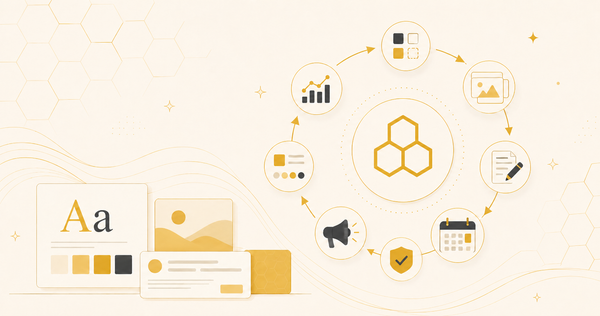
A complete automated workflow has five stages. Each one can be systematized.
Stage 1: Product catalog setup
Create a library of your products with their full details: descriptions, features, benefits, images, and dimensions. This becomes your content source of truth. Every post you generate draws from this catalog. You do this once per product, not once per post.
Stage 2: Brand identity configuration
Upload your brand guide as a PDF, paste your website URL, or upload style reference images. The system extracts and stores your visual identity and tone of voice. From this point forward, every piece of content is generated against your brand standard, not a blank slate.
Stage 3: Campaign creation
Define a campaign: which product, which goal, which audience, what offer, what timeline. The system generates a batch of posts for that campaign: single images, carousels, and platform-specific captions and hashtags for Instagram, Facebook, TikTok, and Pinterest. Everything formatted correctly for each platform.
Stage 4: Review and approval
Go through the draft queue. Approve what is ready. Edit captions manually or via AI rewrite. Swap images. Regenerate individual posts that need a different angle. Set the schedule.
Stage 5: Publishing and monitoring
Approved posts publish automatically at the times you set. Nothing goes live without your sign-off. Failed posts retry automatically. The system tracks status across every channel.
Total recurring time per week once the catalog and brand identity are configured: usually under two hours. The rest runs automatically.
What to Automate and What to Keep Human
Not everything in social media marketing should be automated. Understanding the division helps you build a workflow that is both efficient and safe.
Automate:
Content production. Visuals, captions, and hashtags for planned posts. This is where automation saves the most time and where brand identity configuration does the most work.
Scheduling. Once posts are approved, publishing should be fully automated. Timezone management, recurring schedules, and post queuing do not need human involvement.
Platform formatting. Each platform has different dimension requirements, caption conventions, and hashtag norms. Automation handles these without you having to think about them.
Keep human:
Campaign strategy. Deciding what to promote, when, to whom, and with what offer is a judgment call. Automation can execute a strategy. It cannot create one.
Final approval. Every post should have a human review before it publishes. Automation produces the draft. You decide what ships.
Community management. Replies, DMs, and comments require a human voice. No automation tool handles these well.
Crisis judgment. If something is happening in the world that affects your brand's tone, a human needs to make the call on whether to pause the queue.
AI Marketing Assistants: The Next Layer of Automation
Beyond content generation and scheduling, a new category of tool is emerging: the AI marketing assistant.
Where traditional automation tools require you to navigate settings, configure campaigns through menus, and manage the workflow manually, an AI marketing assistant operates the entire platform through conversation.
You describe what you want in plain language. The assistant takes action.
Create a campaign for this product targeting young women with a 20% off offer. The assistant imports the product, builds the brand identity, structures the campaign, generates the content, and queues it for approval. You review. You say go live.
The practical difference is significant. Traditional automation removes the manual work of content production. An AI assistant removes the manual work of using the automation tool itself. The entire workflow collapses into a conversation.
AI marketing assistants can also perform tasks that go beyond content production: researching competitors, analyzing campaign performance, editing captions and hashtags from chat, rescheduling posts, and surfacing insights without requiring you to navigate a reporting dashboard.
This category is early but moving quickly. For small brands and lean marketing teams, the ability to operate a full marketing workflow from a conversation window is a meaningful shift in what one person can manage.
The Hidden Cost of Not Automating
The argument for manual social media management is usually quality. The concern is that automation produces content that looks automated.
The argument has merit for bad automation. It does not hold for brand-aware automation.
But the cost of manual management is real and worth naming. The average small brand founder spends six to ten hours per week on social media content production. That is 25 to 40 hours per month on a task that does not require a founder's judgment.
More significantly, manual management creates an inconsistency problem. Content quality varies depending on how much time you have that week, whether your contractor delivered, and whether you managed to get a good product shot. The feed becomes a record of your operational constraints rather than a consistent expression of your brand.
Automation done well produces a more consistent feed than manual production, not a less consistent one. The brand identity is encoded once. The standard applies every time. There is no week where the posts look worse because the founder was busy.
Common Mistakes When Automating Social Media
Using a generic AI tool instead of a brand-aware one. A general-purpose AI writing tool does not know your brand. A brand-aware social media platform does. The output is fundamentally different.
Skipping the brand identity setup. The quality of automated content is directly proportional to the quality of the brand information the system has. Skipping this step produces generic output regardless of which tool you use.
Auto-publishing without review. Automation should never remove the approval step. Content that has not been reviewed should not reach your audience.
Treating automation as a one-time setup. Your product catalog grows. Your brand evolves. Campaigns need refreshing. Automation requires periodic maintenance to stay current.
Expecting perfection from the first generation. AI content generation improves with iteration. The first batch you generate will not be perfect. Editing, regenerating, and providing feedback to the system produces progressively better output.
BeeWritten: Brand-Aware Social Media Automation for Product Brands
BeeWritten is built around the premise that automation and brand quality are not in opposition. They require each other to work.
The platform reads your brand guide, learns your visual identity and tone of voice, and applies that standard to every post it generates. You import a product URL. BeeWritten extracts the images, description, features, and benefits. From there, it generates visuals, captions, and hashtags for every platform: Instagram, Facebook, TikTok, and Pinterest.
Nothing auto-publishes. Every post goes through a draft queue where you can approve, edit, regenerate, or delete. Email reminders flag unapproved posts before they are due to go live.
Melibee, the in-app AI assistant, lets you run the entire workflow from a conversation. Create a campaign, schedule posts, edit captions, check analytics. Without navigating a settings menu.
Pricing starts at $49 per month. 7-day free trial on the Starter plan.
Frequently Asked Questions
What is social media automation? Social media automation is the use of software to handle repetitive tasks in social media marketing, including content generation, scheduling, publishing, and reporting. The best automation tools also handle content production, not just distribution.
Can AI automate social media posts without them looking generic? Yes, when the AI is given your brand identity before generating content. Tools that extract your visual style, tone of voice, and product information produce content that reflects your brand. Tools that start from a blank prompt produce generic output regardless of how good the underlying model is.
What is the difference between a social media scheduler and a social media automation platform? A scheduler publishes content you have already created. An automation platform creates the content and then schedules it. For small brands without a content production team, a scheduler alone does not solve the core problem.
Is it safe to automate social media publishing? With a draft-first approval workflow, yes. Content that requires human review before publishing keeps the speed advantage of automation without the risk of off-brand or mistimed posts going live automatically.
How much time does social media automation save? For most small brands, automating content production and scheduling reduces weekly social media time from six to ten hours to one to two hours. The bulk of the savings comes from content production rather than scheduling.
What is an AI marketing assistant? An AI marketing assistant is a conversational AI that operates a marketing platform through chat. Rather than navigating menus and settings, you describe what you want in natural language, and the assistant takes action: creating campaigns, generating content, scheduling posts, editing captions, and pulling analytics.
What platforms does BeeWritten publish to? BeeWritten publishes to Instagram, Facebook, TikTok, and Pinterest. Each platform receives content formatted to its specific dimensions, caption style, and hashtag conventions automatically.
How does BeeWritten learn my brand identity? BeeWritten extracts brand identity from three sources: a PDF brand guide upload, a website URL, or uploaded style reference images. It reads your color palette, typography, tone of voice, and visual references, then applies them to every post it generates.
BeeWritten is a premium AI social media marketing suite for product-based businesses and DTC brands. Start your 7-day free trial at beewritten.com.